19 November 2026 · For owners and managers
Your Monday Briefing, on Request
You run the shop, so you do not have time to build reports. You have questions, and you want straight answers. Connect Claude or ChatGPT to Standard Time® and you can ask about hours, jobs, and due dates in plain English, with answers drawn from your own records. And you decide, in advance, what the assistant may see and do.
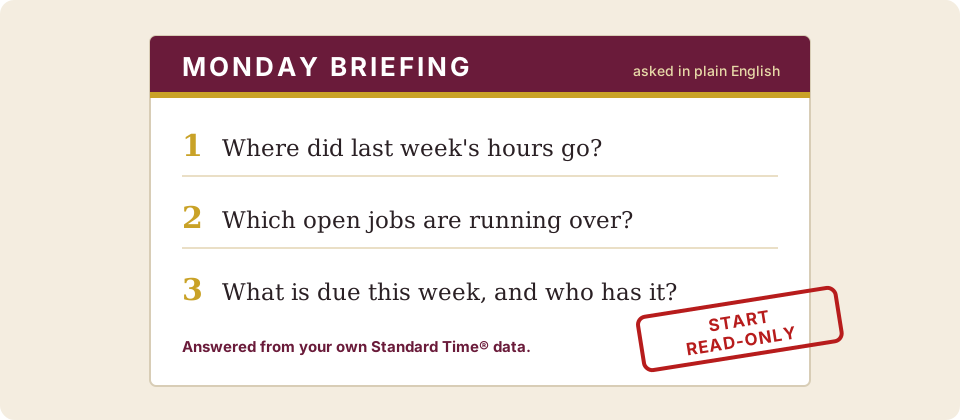
Three questions, asked in plain English. (Illustration.)
Three Questions Owners Actually Ask
1 “Where did last week's hours go, by project?”
- Why it matters
- It shows at a glance whether your time went to work that earns money or to everything else.
- Check it
- Compare the first answer with a Time Logs report, so you learn how much to trust the rest.
2 “Which open jobs have logged more hours than we planned?”
- Why it matters
- An early warning, before a job uses up its margin.
- Check it
- Ask for the planned and logged hours side by side for each job it names, then look at those tasks yourself.
3 “What is due this week, and who has it?”
- Why it matters
- Promised dates are what customers remember.
- Check it
- Compare with your Project Tasks grid filtered to this week.
A note on dollars. The assistant can answer cost questions only when cost and rate fields are visible to both your login and the connection. And Standard Time® is not your accounting system. Keep using QuickBooks for the books; use the assistant to read what Standard Time® knows about jobs and hours. If you use ChatGPT, begin your question with “With Standard Time, …”.
You Decide What It Sees
When you connect an assistant, you set its limits, and they are fixed at connection time. To change them, revoke the connection and reconnect.
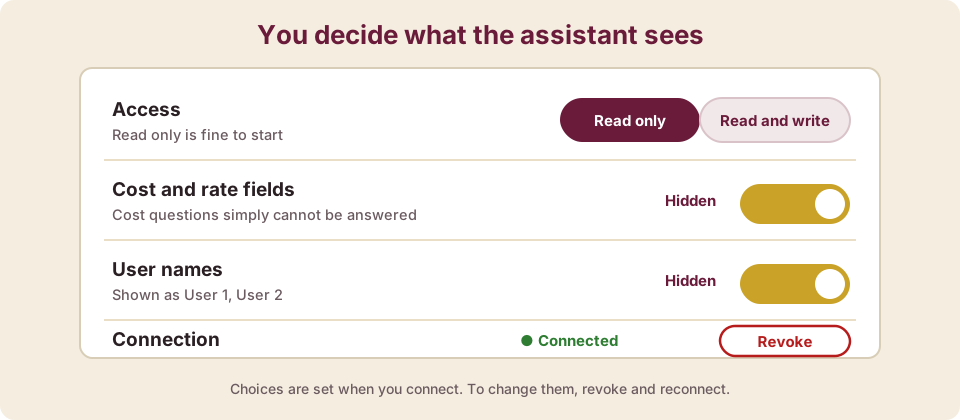
The choices on the consent screen, in plain terms.
Read only, or read and write
Start read-only if all you want is answers. Writes reach project tasks only.
Hide cost and rate fields
Cost questions simply cannot be answered on that connection.
Hide user names
The assistant sees “User 1” and “User 2” instead of real names.
Disconnect any time
Revoke a connection and the assistant loses access at once. Anyone can revoke the connections that act as them.
- It acts as the person who connects. It sees what that login can see, checked on every request. It never gets more.
- An administrator approves the sign-in by default, and the person connecting needs the Access to AI right.
A Paper Trail
Applying and undoing a change is always logged, and the log is kept for 30 days. An administrator can also turn up the level of detail that is recorded: off, errors only, warnings and errors, or everything. If you ever need to know who changed what and when, there is a record.
A Sensible Rollout
| When | Who | What |
|---|---|---|
| Week 1 | You | Read-only connection. Ask the three questions above and compare with your own reports. |
| Week 2 | Supervisors | Read-only connections for the people who walk the floor. See the supervisor guide. |
| Week 3 | Schedulers | Read and write for the people who run the plan, after they have tried a throwaway project. See the scheduler guide. |
What It Costs
The assistant itself is a product of Anthropic (Claude) or OpenAI (ChatGPT), with its own plans and pricing. Whether your plan allows custom connections is decided by them, so check their current plan details before you commit. For Standard Time® plans, see pricing. Claude and ChatGPT are not affiliated with Standard Time®.