19 November 2026 · For supervisors
Ask Before You Walk the Floor
You know your floor better than any report does. What you cannot see from your desk is what changed since you last walked it: which tasks slipped, who has nothing assigned, which job has quietly used up its hours. Connect Claude or ChatGPT to Standard Time® and you can ask those questions in plain English, then spend your walk where it matters.
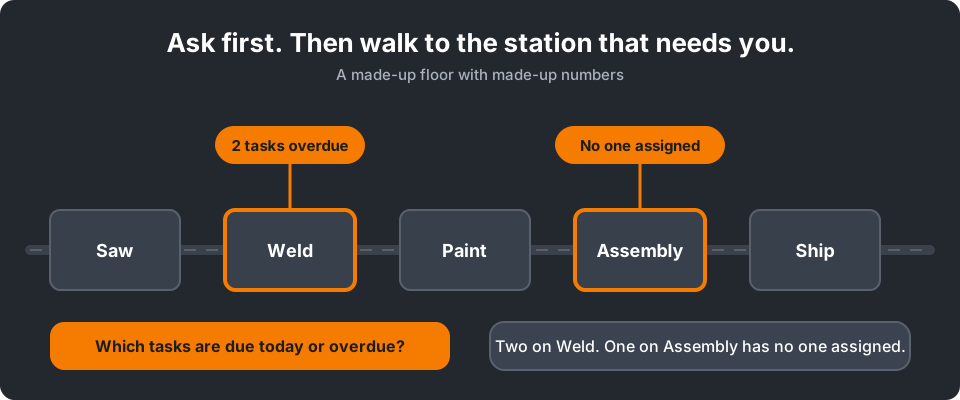
Ask first, then walk to the station that needs you. (Illustration with made-up numbers.)
Six Questions Worth Asking Before You Walk
These are the kinds of questions supervisors ask most. Use your own job numbers, subproject names, and station names. Every answer comes from your live records, limited to what your login is allowed to see.
“Which tasks are due today or overdue?”
A list of tasks by project with their due dates, so you know which stations need you first.
Check it: compare with your Project Tasks grid filtered to today.
“Who has a timer running right now, and on what?”
The people currently on a job and the job each one is on.
Check it: Time Logs filtered to running timers.
“Which tasks have nobody assigned?”
The gaps you can close with a quick reassignment instead of finding out at the station.
Check it: the assignment column in Project Tasks.
“How many hours were logged on job 10450 yesterday, by person?”
A short table you can read at a glance, with the totals worked out by Standard Time® and not guessed.
Check it: Time Logs filtered to that job and day.
“Which jobs have logged more hours than we planned?”
A short list of jobs that look over plan. Treat it as a reason to look, not a verdict.
Check it: compare logged and planned hours on the job's tasks before you act.
“Show this week's Weld tasks, soonest first.”
A focused list for one area, sorted the way you work.
Check it: filter and sort the same grid yourself.
Examples are illustrative. If you use ChatGPT, begin with “With Standard Time, …”.
Then Walk to the Right Station
The point is not to stop walking the floor. It is to stop walking it blind. With the answers in hand, you skip the stations that are fine and arrive at the one that needs a decision.
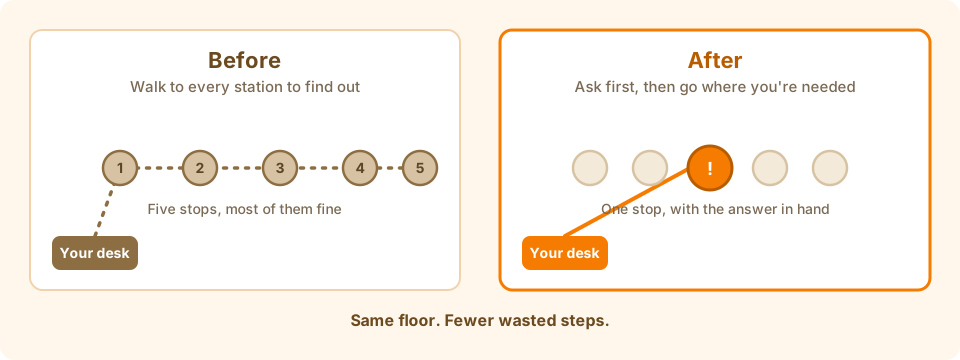
Same floor, fewer wasted steps.
Quick Fixes From the Floor
Some answers call for a small change. You can make it by asking, and it goes through the same safe steps every time.
You: Assign the Assembly bracket task to Sam and set it to 50% complete.
Assistant: Here is the preview. One task would be assigned to Sam and marked 50% complete. Nothing has been saved yet. Apply it?
You: Apply it.
Assistant: Done. You can undo this for the next 30 minutes.
- What you can change: a task's assignment, percent complete, dates, and planned hours, plus new tasks.
- What you need: the same task rights you already have. The assistant never gets more than your login.
- Your safety net: a preview first, your approval, and undo for 30 minutes.
What It Does Not Replace
Your crew's scans and timers are still what create time logs. The assistant reads those records and can answer questions about them, but it cannot scan for your crew, start or stop a timer, or edit a time log. That is deliberate: your hours stay as accurate as the scans behind them.
What AI Can't Do in Standard Time® lists every limit in plain terms.
Try It This Week
- Ask an administrator to connect Claude or ChatGPT. By default only an administrator can approve the sign-in.
- Start with questions you can check on your own grids.
- Run the short smoke test (Claude or ChatGPT) before you rely on a change.
Good to know: this works with Standard Time® cloud accounts. Claude is made by Anthropic and ChatGPT by OpenAI; neither is affiliated with Standard Time®, and their plans and menus are their own.