22 April 2026
Groq AI Model Error 429 Rate Limit Exceeded
If you use the Standard Time® AI Chat window to analyze and update your projects, you may occasionally see an HTTP 429 error. This error means that the Groq AI service has temporarily blocked further requests because your account has reached its daily token limit. Here is what it means and how to resolve it.
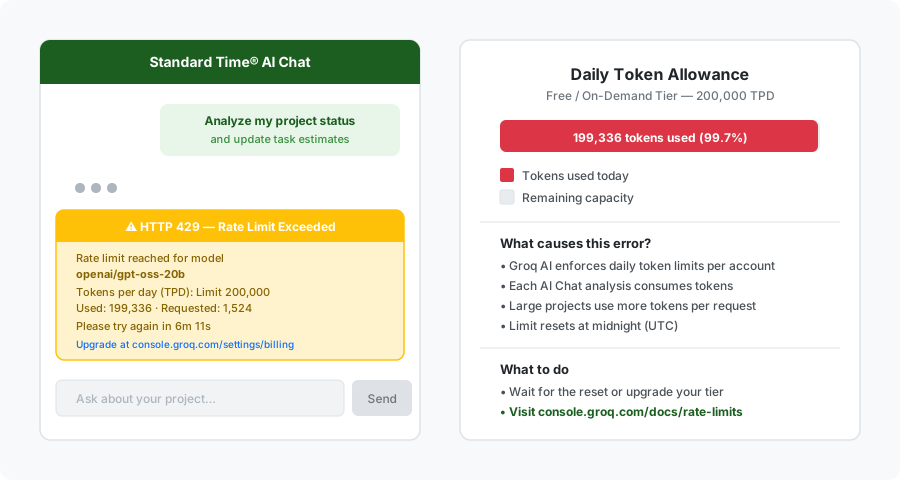
The HTTP 429 error appears in the Standard Time® AI Chat window when your Groq AI token allowance for the day is exhausted.
What the Error Message Says
When the rate limit is exceeded, the Standard Time® AI Chat window displays a message similar to this:
Rate limit reached for model openai/gpt-oss-20b
in organization org_01 service tier on_demand
on tokens per day (TPD):
Limit 200,000 · Used 199,336 · Requested 1,524
Please try again in 6m 11.52s.
Need more tokens? Upgrade to Dev Tier today at
https://console.groq.com/settings/billing
Every field in this message is meaningful. The model name, the token counts, and especially the wait time all tell you exactly what happened and what to do next.
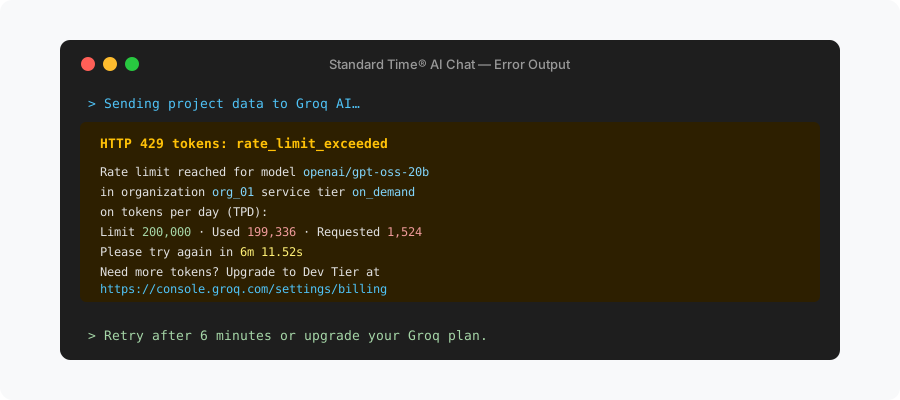
The full HTTP 429 error message from Groq AI — the token counts, wait time, and billing link are all included in the response.
Breaking Down the Error
The error message contains several pieces of information worth understanding:
- HTTP 429: This is a standard web status code meaning "Too Many Requests." It is not an error in your project data or in Standard Time® — it is a response from the Groq AI service telling you to slow down.
- tokens: rate_limit_exceeded: The specific reason for the 429. Your account has consumed all of its allowed tokens for the current day.
- openai/gpt-oss-20b: The specific AI model that handled your request. Standard Time® routes AI Chat requests through Groq using this model.
- service tier: on_demand: Your Groq account is on the free on-demand tier, which has a daily token cap of 200,000.
- Limit 200,000 / Used 199,336 / Requested 1,524: Your account had used 199,336 tokens and the new request needed 1,524 more — pushing the total beyond the 200,000 cap.
- Please try again in 6m 11.52s: This is not a guess. Groq calculates exactly how long until enough tokens free up for your request to succeed and reports it here.
Why This Happens in Standard Time® AI Chat
The Standard Time® AI Chat window can analyze and update projects on your behalf. When you ask it to review a project, it sends the relevant project data — task names, assignments, dates, time logs, notes — to the Groq AI service as part of the request. For large projects with many tasks, phases, and team members, a single analysis can consume several thousand tokens in one round trip.
If you run multiple analyses in a single day — reviewing different projects, asking follow-up questions, or requesting updates on several work orders — the token count accumulates quickly. Once the daily total crosses the 200,000-token threshold on the free on-demand tier, every subsequent request returns the HTTP 429 error until the counter resets.
This behavior is entirely controlled by Groq's billing system, not by Standard Time®. The Standard Time® AI Chat window simply relays the error it receives so you can act on it.
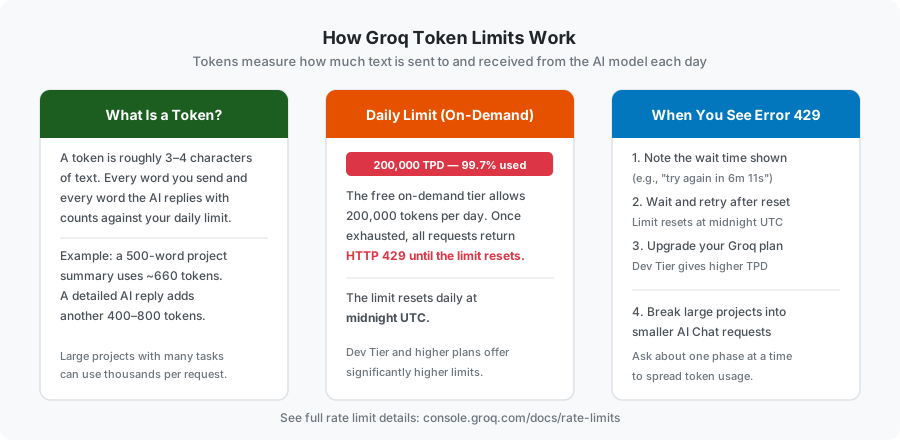
Tokens measure all text in and out of the AI model. At 200,000 tokens per day on the free tier, heavy project analysis can exhaust the limit within a single session.
How to Resolve the Error
There are four practical options depending on how urgently you need the AI analysis:
- Wait and retry. The error message tells you exactly how long to wait — in the example above, just over six minutes. After that time, the Groq service frees up capacity and your next AI Chat request will go through normally. You do not need to do anything in Standard Time® or your Groq account; simply wait and try the analysis again.
- Wait for the daily reset. If the gap is very small (a few tokens short of the limit), the wait time shown may be only minutes. But if you have truly exhausted the full 200,000-token cap, the counter resets at midnight UTC. Your full allowance is restored at that point and AI Chat analyses will work again without any changes on your part.
- Upgrade your Groq plan. The free on-demand tier is suitable for moderate usage, but if your team runs many AI Chat sessions daily or analyzes very large projects, upgrading to Groq's Dev Tier gives you a substantially higher token allowance. Upgrades are managed directly at console.groq.com/settings/billing.
- Break requests into smaller pieces. Rather than asking the AI Chat to analyze your entire project at once, focus one request on a single phase or a subset of tasks. This spreads your token consumption across more requests and makes it less likely any single session will exhaust the daily cap.
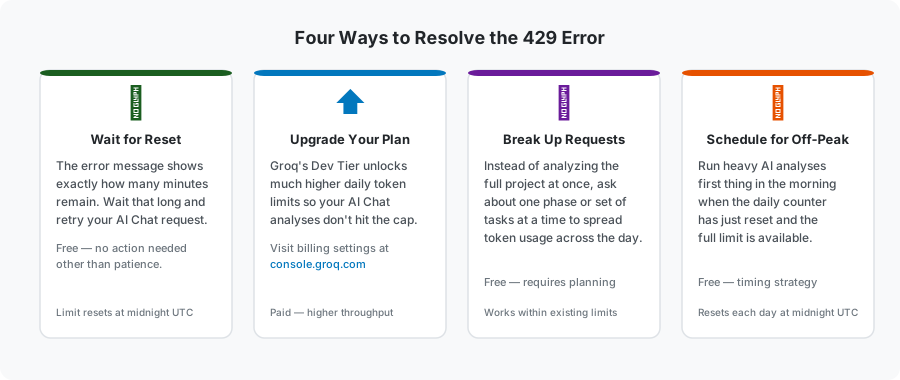
Four ways to deal with the 429 error — ranging from simply waiting a few minutes to upgrading your Groq plan for higher daily token limits.
Understanding Groq Rate Limits
Groq publishes a full breakdown of the rate limits that apply to each service tier, including tokens per minute (TPM), requests per minute (RPM), and tokens per day (TPD). You can review the current limits for all tiers at the official Groq rate limits documentation:
console.groq.com/docs/rate-limits
You can also view your actual token usage and request history in the Groq console logs dashboard:
console.groq.com/dashboard/logs
The limits shown in that documentation reflect the on-demand (free) tier and all paid tiers. If you need to plan your Standard Time® AI Chat usage around these limits, the TPD figure for your tier is the most important number to track.
This Error Does Not Affect Your Projects
A HTTP 429 from Groq is a rate-limiting response, not a data error. No changes are made to your Standard Time® projects when this error occurs — the AI request was blocked before any analysis or updates could be applied. Your project data is completely intact. When you retry after the wait period, the AI Chat will process the request normally from the beginning.
If you were in the middle of a multi-step AI session and the 429 interrupted it, you may need to re-send your last prompt after the wait. The AI Chat does not automatically retry blocked requests.
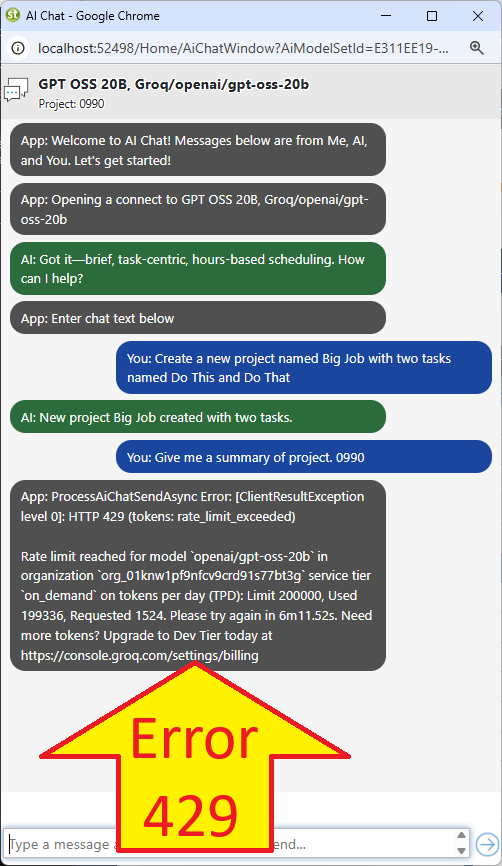
The HTTP 429 rate limit error as it appears in the Standard Time® AI Chat window.
Related Articles
- AI Rate Limits, Tokens, TPM & RPM — Complete Reference — deeper explanation of limits, token counting, and Exclusion Flags
- How to Get a Quick AI Project Analysis
- Managing Projects in Standard Time Is as Easy as Using an AI Chat
- AI-Powered Manufacturing Software